
Is your brand leveraging Amazon’s massive marketplace to its fullest potential? If not, the process might seem daunting, but setting up an Amazon Storefront can revolutionise your online sales. Enter “Amazon Storefront Setup: Step-by-Step Success,” where we break down the entire journey, ensuring a seamless setup from brand registration to final approval. This guide will demystify the requirements, layout the crucial steps, and provide actionable tips for a well-optimised storefront designed to boost visibility and drive sales. Dive in to transform your Amazon presence today.
Setting Up an Amazon Storefront: A Step-by-Step Guide
Setting up an Amazon Storefront is pivotal for enhancing brand visibility and offering a customised shopping experience. This section outlines the critical steps required to build an effective storefront.
To begin, sellers must register with Amazon Brand Registry. This step is essential, as it verifies the brand and provides access to advanced features. Once registered, the next step is to create a brand page. This involves setting up a brand-specific page that showcases the brand’s story, products, and any promotional content.
Following the creation of a brand page, sellers need to upload their product listings. High-quality images and detailed descriptions are crucial for attracting potential buyers. After uploading the products, the storefront design must be customised. This includes selecting a layout, adding brand logos, and incorporating other visual elements that align with the brand identity.
The final steps involve adding a navigation menu and submitting the storefront for review. The navigation menu should be intuitive, enabling easy browsing for customers. Once all elements are in place, the storefront is submitted to Amazon for review, ensuring it meets all guidelines and standards.
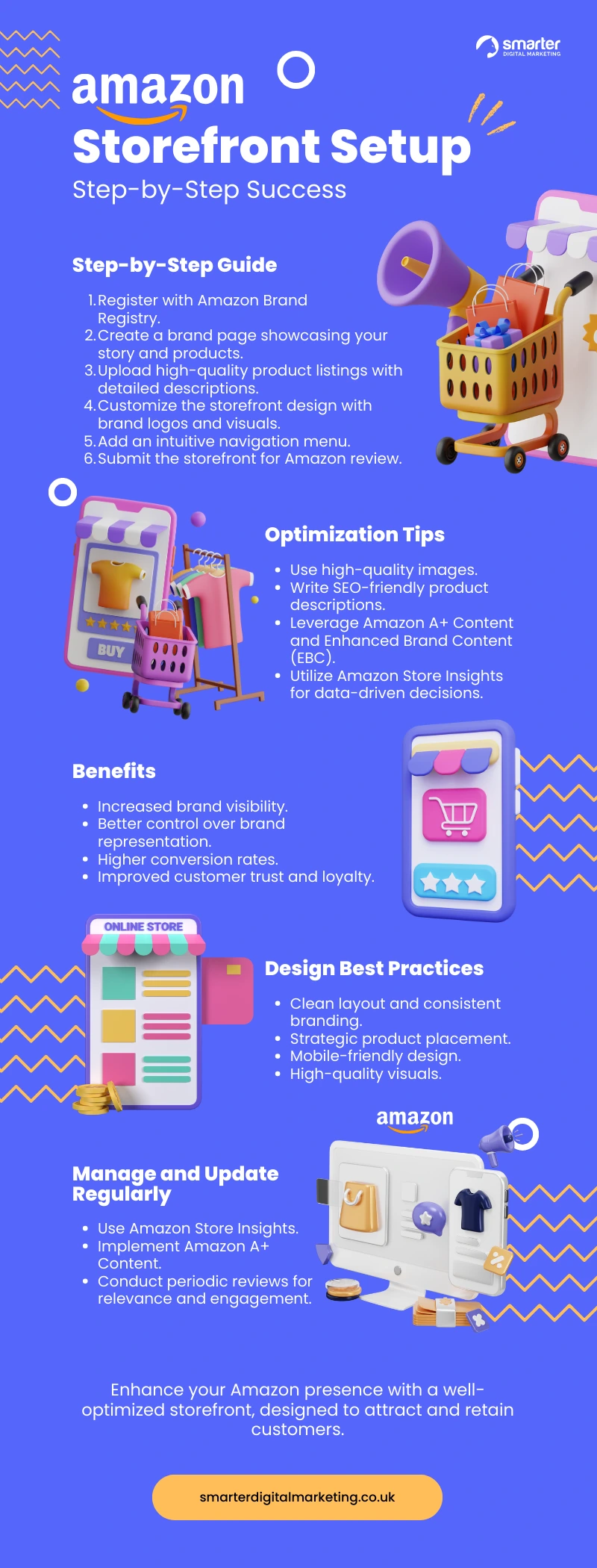
Below is a concise list of the steps involved in setting up an Amazon Storefront:
- Register for Amazon Brand Registry
- Create a brand page
- Upload product listings
- Customise storefront design
- Add a navigation menu
- Submit for review
Optimising Your Amazon Storefront for Maximum Engagement
Optimising your Amazon Storefront is essential for driving visibility and increasing conversion rates. High-quality images and SEO-friendly product descriptions are foundational elements. Quality visuals attract attention and build trust, while SEO optimisation ensures your products appear in relevant searches. Effective use of these elements can significantly enhance user engagement and sales.
High-quality images are non-negotiable. They should be clear, well-lit, and professionally shot. Multiple angles and zoom capabilities can provide a comprehensive view of the product, making the shopping experience more interactive and informative. SEO-friendly product descriptions should incorporate relevant keywords naturally, providing essential information without appearing forced. A well-written description not only improves search rankings but also aids in customer decision-making.
Amazon offers several tools to aid in storefront optimisation. Amazon A+ Content and Enhanced Brand Content (EBC) allow brands to create rich, multimedia product descriptions that can further engage customers. These tools enable the addition of videos, comparison charts, and enhanced images, providing a more immersive shopping experience. Amazon Store Insights offers invaluable analytics to track performance, helping sellers make data-driven decisions for ongoing optimisation.
Below are the key strategies for optimising an Amazon Storefront:
- Use high-quality images
- Write SEO-friendly product descriptions
- Leverage Amazon A+ Content
- Implement Enhanced Brand Content (EBC)
- Utilise Amazon Store Insights for data-driven decisions
Benefits of Having an Amazon Storefront
Having an Amazon Storefront offers numerous advantages for brands looking to establish a robust online presence. The primary benefits include increased brand visibility, better control over brand representation, higher conversion rates, and improved customer trust and loyalty. These benefits collectively enhance the brand’s overall market performance and customer engagement.
Increased brand visibility is one of the most significant advantages. An Amazon Storefront allows brands to showcase their products in a dedicated space, making it easier for customers to find and explore their offerings. This visibility is crucial for attracting new customers and retaining existing ones. Additionally, having a storefront provides better control over brand representation. Brands can customise their storefront to align with their identity, ensuring a consistent and professional appearance across all products.
A well-optimised Amazon Storefront can also lead to higher conversion rates. By using high-quality images, detailed product descriptions, and engaging multimedia content, brands can create an immersive shopping experience that encourages purchases. Moreover, improved customer trust and loyalty are byproducts of a professional storefront. When customers see a well-maintained and visually appealing storefront, they are more likely to trust the brand and return for future purchases.
Below are the key benefits of having an Amazon Storefront:
- Increased brand visibility
- Better control over brand representation
- Higher conversion rates
- Improved customer trust and loyalty
Best Practices for Amazon Storefront Design
Effective Amazon Storefront design is crucial for capturing customer interest and driving sales. A well-designed storefront provides a seamless shopping experience, increasing the likelihood of customer engagement and conversion. Good design is not only about aesthetics but also about functionality and ease of use.
Key best practices include using a clean layout and ensuring consistent branding. A clean layout avoids clutter, making it easier for customers to navigate and find products. Consistent branding involves using the same colour schemes, logos, and fonts across all pages, which helps to reinforce brand identity and trust. Strategic product placement is equally important. Highlighting best-sellers and seasonal products in prominent positions can draw immediate attention and guide customers towards making a purchase.
Examples of successful Amazon Storefronts often feature high-quality visuals and intuitive navigation. Brands like Nike and Samsung exemplify this. Their storefronts use professional images, engaging videos, and guided navigation to provide a rich user experience. These elements work together to create a visually appealing and user-friendly storefront, driving higher engagement and sales.
Focusing on mobile-friendly design is essential due to the growing number of mobile shoppers. A responsive design ensures that the storefront looks good and functions well on all devices, including smartphones and tablets. This adaptability can significantly enhance the shopping experience, making it easier for customers to browse and purchase products on the go.
Below are the best practices for Amazon Storefront design:
- Use a clean layout
- Ensure consistent branding
- Strategically place products
- Feature high-quality visuals
- Focus on mobile-friendly design
Popular Amazon Storefront Examples and Case Studies
Learning from successful Amazon Storefront examples is invaluable for understanding what strategies work best. Analysing these success stories can provide actionable insights into design, product placement, and customer engagement tactics that lead to higher sales and better brand visibility.
Brands like Nike and Samsung have set the benchmark for effective Amazon Storefronts. Nike’s storefront uses high-quality visuals, engaging videos, and a clean layout that reflects its brand identity. This creates an immersive shopping experience, drawing in customers and encouraging them to explore more products. Samsung, on the other hand, leverages a well-organised navigation menu and detailed product descriptions, which help customers easily find what they are looking for. Both brands use consistent branding elements, such as logos and colour schemes, to reinforce their brand identity.
Case studies often highlight significant growth in brand visibility and customer engagement resulting from these well-designed storefronts. For instance, Nike experienced a notable increase in sales and customer retention by focusing on high-quality content and intuitive navigation. Samsung saw a rise in conversion rates by providing comprehensive product information and leveraging user-generated content like reviews and ratings. These strategies collectively contribute to a more engaging and effective storefront, ultimately driving better performance metrics.
| Brand | Key Feature | Success Metric |
| Nike | High-quality visuals and engaging videos | Increased sales and customer retention |
| Samsung | Organised navigation and detailed descriptions | Higher conversion rates |
| Adidas | Consistent branding and user-generated content | Enhanced customer engagement |
Managing and Updating Your Amazon Storefront
Regular updates are essential for keeping an Amazon Storefront engaging and relevant. Consistently refreshing content and products ensures that customers see the most up-to-date offerings, which can drive ongoing engagement and sales. Neglecting updates can lead to a static storefront that fails to attract repeat customers or maintain interest.
Several tools are available to aid in tracking and updating storefront performance. Amazon Store Insights provides valuable analytics, including metrics on traffic, sales, and customer behaviour. This data can inform which areas of the storefront require improvement or enhancement. Amazon A+ Content is another powerful tool that allows for the addition of rich multimedia content, such as videos and detailed images, which can make product pages more compelling and informative.
Periodic reviews are vital for maintaining a high-performing storefront. Conducting these reviews on a regular basis helps identify outdated content, underperforming products, and areas that need optimisation. By making necessary adjustments based on these insights, the storefront remains relevant and appealing to customers.
Below are key strategies for managing and updating an Amazon Storefront:
- Use Amazon Store Insights
- Implement Amazon A+ Content
- Conduct periodic reviews
- Make necessary adjustments for relevance
Final Words
Creating an Amazon Storefront involves a detailed, step-by-step process that starts with registration and ends with final approval. The guide covers all essential aspects, from registration with Amazon Brand Registry to customising the storefront design and adding navigation.
Effective optimisation strategies include the use of high-quality images and SEO-friendly descriptions.
The benefits of an Amazon Storefront include increased visibility, better brand control, and higher conversion rates.
By following best practices in storefront design and learning from successful examples, sellers can significantly enhance their Amazon Storefront’s effectiveness.
Managing and updating the storefront ensures it remains relevant and engaging.
Implementing these strategies with a focus on continuous improvement can result in a highly successful Amazon Storefront.
FAQ
Q: What is the first step in setting up an Amazon Storefront?
A: To set up an Amazon Storefront, sellers need to register with Amazon Brand Registry.
Q: How do I customise my Amazon Storefront design?
A: Customising an Amazon Storefront involves selecting a layout, adding visuals, and creating promotional content tailored to your brand.
Q: What tools can help optimise my Amazon Storefront?
A: Optimisation tools include Amazon A+ Content, Enhanced Brand Content (EBC), and Amazon Store Insights.
Q: Why should I have an Amazon Storefront?
A: An Amazon Storefront increases brand visibility, offers better control over brand representation, and improves customer conversion rates.
Q: What are the best practices for Amazon Storefront design?
A: Best practices include using a clean layout, consistent branding, strategic product placement, and focusing on mobile-friendly design.
Q: Can you give examples of successful Amazon Storefronts?
A: Brands like Nike and Samsung have seen increased sales and engagement with their optimised Amazon Storefronts.
Q: How often should I update my Amazon Storefront?
A: Regular updates and reviews are essential. Use Amazon Store Insights and Amazon A+ Content for performance tracking and adjustments.
