
Is managing multiple social media profiles draining your productivity? Meta Business Suite might be your ultimate solution. This comprehensive social media management tool from Meta, the powerhouse behind Facebook and Instagram, centralises your social media activities into one efficient command centre. Imagine effortlessly scheduling content, analysing performance metrics, and integrating interactions on Facebook, Instagram, and WhatsApp—all from a single platform. In the following paragraphs, you’ll learn how Meta Business Suite can revolutionise your approach to social media management, driving better engagement and higher returns on your digital efforts.
What is Meta Business Suite?
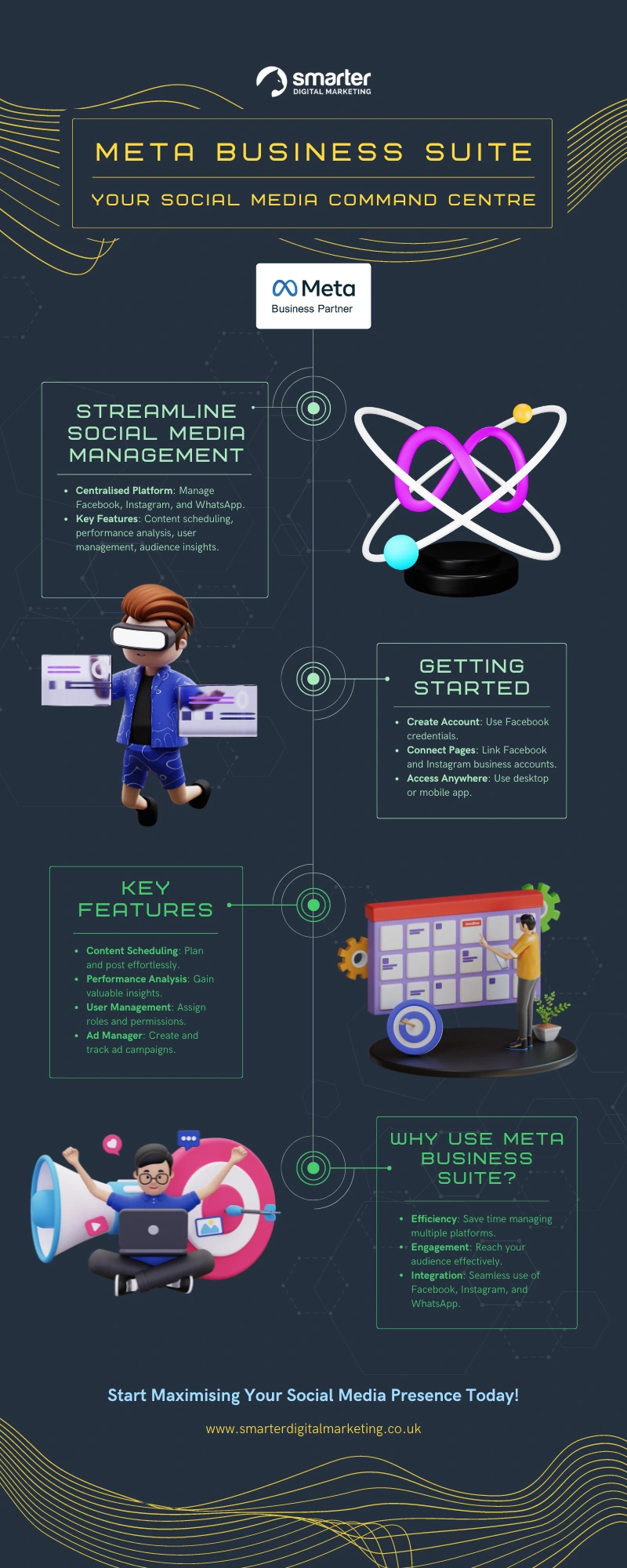
Meta Business Suite is a comprehensive social media management tool developed by Meta, designed to cater to businesses of all sizes. It serves as a centralised platform for managing activities across Facebook, Instagram, and WhatsApp. The tool’s primary purpose is to streamline social media management, enabling businesses to maintain a consistent and engaging online presence effortlessly.
Key features of Meta Business Suite include content scheduling, performance analysis, user management, and seamless integration with multiple social media platforms. These capabilities allow businesses to plan and execute their social media strategies efficiently, ensuring that their content reaches the right audience at the right time. Performance analysis tools provide valuable insights into audience engagement and campaign success, aiding in data-driven decision-making.
The importance of these features for businesses cannot be overstated. By centralising social media management, Meta Business Suite reduces the complexity of handling multiple platforms, saving time and resources. Additionally, it empowers businesses to maintain a cohesive brand presence and engage effectively with their audience, driving better results from their social media efforts.
- Content scheduling
- Performance analysis
- User management
- Integration with Facebook, Instagram, and WhatsApp
- Audience insights
How to Start Using Meta Business Suite
To start using Meta Business Suite, you need to create an account using your Facebook credentials. Begin by logging in with your Facebook account and follow the prompts to fill in your business details. This includes adding your business name, contact information, and other relevant details to set up your profile. Ensuring that all information is accurate will facilitate smoother integration with other platforms and tools.
Next, connect your Facebook business page. Navigate to the business settings in Meta Business Suite and select the option to add a Facebook page. If you already have a Facebook business page, you can link it by following the on-screen instructions. This connection allows you to manage your Facebook page directly from Meta Business Suite, streamlining content management and performance tracking.
Following that, connect your Instagram business account. In the business settings, select the option to add an Instagram account. You will be prompted to log in to your Instagram business profile. Once connected, you can manage both your Facebook and Instagram accounts from a single interface, simplifying your social media management tasks.
Meta Business Suite is accessible both via desktop and mobile app, providing flexibility in how you manage your social media presence. The mobile app is available for download on iOS and Android devices, ensuring you can keep track of your campaigns and interact with your audience on the go. The desktop version offers a more comprehensive view and additional functionalities, making it ideal for detailed management and analysis.
| Step | Description |
| 1 | Create an account using Facebook credentials |
| 2 | Connect your Facebook business page |
| 3 | Connect your Instagram business account |
| 4 | Access via desktop and mobile app |
Key Features of Meta Business Suite

Meta Business Suite is a robust social media management tool offering a range of features designed to streamline business operations on Facebook, Instagram, and WhatsApp. Key features include content scheduling, performance analysis, user management, and seamless integration with multiple social media platforms. These capabilities enable businesses to efficiently plan and execute their social media strategies, ensuring optimal engagement and reach.
Analytics and insights are critical components of Meta Business Suite. The platform provides detailed insights into audience demographics, engagement trends, and ad performance. These analytics tools help businesses understand the impact of their paid and organic efforts on Facebook and Instagram, allowing them to optimise their time and budget effectively. By analysing these metrics, businesses can make informed decisions to enhance their social media presence.
Ad management within Meta Business Suite offers significant benefits. The platform integrates with Meta’s powerful ad manager, enabling businesses to create, manage, and analyse advertising campaigns seamlessly. This integration helps in tracking ad performance, adjusting strategies in real-time, and ensuring that marketing budgets are utilised efficiently. Effective ad management can lead to improved ROI and more targeted audience engagement.
- Content scheduling
- Performance analysis
- User management
- Integration with Facebook, Instagram, and WhatsApp
- Audience insights
- Ad manager
How to Schedule Content on Meta Business Suite
Scheduling content on Meta Business Suite is crucial for maintaining a consistent and engaging social media presence. By planning and scheduling posts in advance, businesses can ensure a steady flow of content, which helps in keeping the audience engaged and informed. This approach not only saves time but also allows for strategic alignment of posts with marketing campaigns and business goals.
To schedule a post, start by navigating to the Meta Business Suite dashboard. Click on the “Create Post” button and select the platform (Facebook or Instagram) where you want to publish the content. After crafting your post, including text, images, or videos, select the “Schedule” option instead of “Publish Now.” Choose the desired date and time for your post to go live, and confirm the scheduling. This process ensures that your content is posted at the optimal time to reach your audience.
Scheduling Stories and Reels follows a similar process. In the Meta Business Suite dashboard, click on “Create Story” or “Create Reel.” Select the appropriate platform and then upload your content—be it images, videos, or a combination. After editing and adding any desired effects or text, select the “Schedule” option. Choose the date and time you want the Story or Reel to be published, and confirm the scheduling. This feature is particularly useful for maintaining an active presence on Instagram and Facebook, helping to maximise engagement with your audience.
- Navigate to the Meta Business Suite dashboard
- Click “Create Post” and select the platform
- Craft your post and select “Schedule”
- Choose the date and time, then confirm the scheduling
Managing Users on Meta Business Suite
Effective user management is essential for maintaining workflow efficiency and ensuring that all team members can collaborate seamlessly. Meta Business Suite offers robust user management capabilities, allowing businesses to add users, assign roles, and manage permissions. This feature is particularly valuable for organisations with multiple team members responsible for managing social media accounts, ensuring that tasks are distributed appropriately and securely.
To add users in Meta Business Suite, navigate to the “Settings” section and select “People.” Click on “Add” and enter the email address of the team member you wish to add. You will then be prompted to assign a role to the new user. Roles can range from Admin, Editor, Moderator, Analyst, to Advertiser, each with different levels of access and permissions. After selecting the appropriate role, an invitation will be sent to the user, who will need to accept it to gain access.
Setting user permissions is straightforward but crucial for maintaining security and clarity within the team. Each role in Meta Business Suite comes with predefined permissions, but these can be customised to meet specific needs. Admins have full access, including the ability to add or remove users. Editors can create and manage content, while Moderators handle interactions and comments. Analysts have access to insights and performance data, and Advertisers can manage ad campaigns. Adjust these settings as necessary to ensure that each team member has the appropriate level of access for their responsibilities.
| Action | Description |
| Add Users | Navigate to Settings > People, click “Add,” and enter the user’s email address. |
| Assign Roles | Select the appropriate role for the new user (Admin, Editor, Moderator, Analyst, Advertiser). |
| Set Permissions | Customise permissions to ensure each user has the right level of access. |
Troubleshooting Common Issues with Meta Business Suite

Common issues users face when using Meta Business Suite include login problems, account access issues, and connectivity problems. These issues can disrupt workflow and hinder the effective management of social media accounts. Addressing these problems promptly is essential for maintaining a seamless user experience and ensuring that all business operations run smoothly.
For troubleshooting login issues, ensure that you are using the correct login credentials associated with your Facebook account. If you encounter problems, try resetting your password or clearing your browser’s cache and cookies. For account access issues, verify that you have the appropriate permissions set within Meta Business Suite. If connectivity problems arise, check your internet connection and ensure that the platform’s server status is operational.
Meta Business Suite support can be accessed through the Meta Business Help Centre. This resource provides comprehensive guides and troubleshooting steps for various issues. If you cannot resolve your problem through self-help resources, the Help Centre allows you to contact support directly for further assistance. Utilising the support options available can help resolve issues more efficiently and minimise downtime.
- Login problems: Reset password or clear browser cache.
- Account access issues: Verify user permissions.
- Connectivity problems: Check internet connection and server status.
- Syncing issues: Ensure accounts are properly linked.
- Publishing errors: Verify content guidelines and platform stability.
Benefits of Using Meta Business Suite
Meta Business Suite offers numerous benefits that streamline social media management for businesses. The platform provides centralised content management, enabling businesses to plan, create, and schedule posts across Facebook and Instagram from a single interface. This centralisation reduces the time and effort required to manage multiple accounts. Additionally, the suite’s ad creation tools facilitate the development and deployment of targeted advertising campaigns, increasing the potential for audience engagement and conversion.
Specific advantages for businesses include enhanced audience insights and engagement capabilities. Meta Business Suite’s analytics tools provide detailed data on audience demographics, engagement trends, and ad performance. These insights allow businesses to refine their strategies and optimise their content to better meet audience preferences. Furthermore, the suite supports seamless integration with both Facebook and Instagram, ensuring consistent branding and messaging across platforms. This unified approach helps in maintaining a cohesive online presence, which is crucial for building brand loyalty and trust.
- Centralised content management
- Targeted ad creation
- Enhanced audience insights
- Seamless integration with Facebook and Instagram
Final Words
Meta Business Suite offers a powerful tool for businesses, enhancing their social media management across Facebook and Instagram.
From setting up accounts and managing content to detailed performance analytics, the suite simplifies various tasks critical to maintaining an active social media presence.
With features like user management, content scheduling, and robust insights, it caters to all business sizes, optimising efficiency and engagement.
By leveraging Meta Business Suite, businesses can streamline processes, generate qualified leads, and maximise their ROI, making it an invaluable asset for effective digital marketing.
FAQ
What is Meta Business Suite for?
Meta Business Suite is a comprehensive social media management tool for businesses of all sizes.
Is Meta Business Suite free or paid?
Meta Business Suite is free to use for all businesses.
What is the difference between Facebook and Meta Business Suite?
Facebook is a social media platform, whereas Meta Business Suite is a tool designed for managing multiple social media accounts, including Facebook and Instagram.
Does Meta Business Suite cost anything?
Meta Business Suite does not have any associated costs and is free for all users.
How to download Meta Business Suite on desktop?
To download Meta Business Suite on desktop, visit the official Meta website and follow the download instructions provided.
What is Meta Business Suite?
Meta Business Suite is a management tool developed by Meta, designed for businesses to manage their social media presence across Facebook, Instagram, and WhatsApp. It includes features like content scheduling, performance analysis, and user management.
What are the key features of Meta Business Suite?
Key features include content scheduling, performance analysis, user management, integration with Facebook, Instagram, and WhatsApp, and detailed performance reporting.
