
Ever wondered why your website traffic isn’t where it should be? With over 600 million image searches conducted daily on Google, ignoring image SEO could mean missing out on a significant traffic source. Google Image Search isn’t just a visual gallery; it’s a powerful tool to drive targeted traffic to your site. In this article, *Smarter Digital Marketing* reveals six effective ways to capitalise on Google Image Search and boost your website traffic. Ready to see those numbers climb? Read on to discover how images can enhance your online visibility and engagement.
How Google Image Search Can Drive Traffic
Over 600 million image searches are conducted daily on Google, making it a crucial component in the digital landscape. Given the immense volume, leveraging Google Image Search can significantly impact website traffic. With 21.5% of all search queries happening directly in Google Images, it’s evident that this platform is a major source of visibility.
Images in search results can increase click-through rates by up to 36%. This boost not only enhances traffic but also improves user engagement. When users see relevant images, they are more likely to click through to the website, leading to higher interaction rates. By optimising images for search, websites can tap into a substantial audience segment that prefers visual content.
Benefits of using Google Image Search for driving traffic:
- Enhanced click-through rates
- Increased visibility in search results
- Improved user engagement
- Higher chances of backlinks through image sharing
- Better user experience with visually appealing content
Image-based results play a crucial role in user memory retention, with 64% of users more likely to remember these results. Visuals are processed faster by the brain, making them more memorable than text-based content. This aspect not only aids in instant recognition but also fosters long-term brand recall, which is essential for sustained traffic growth.
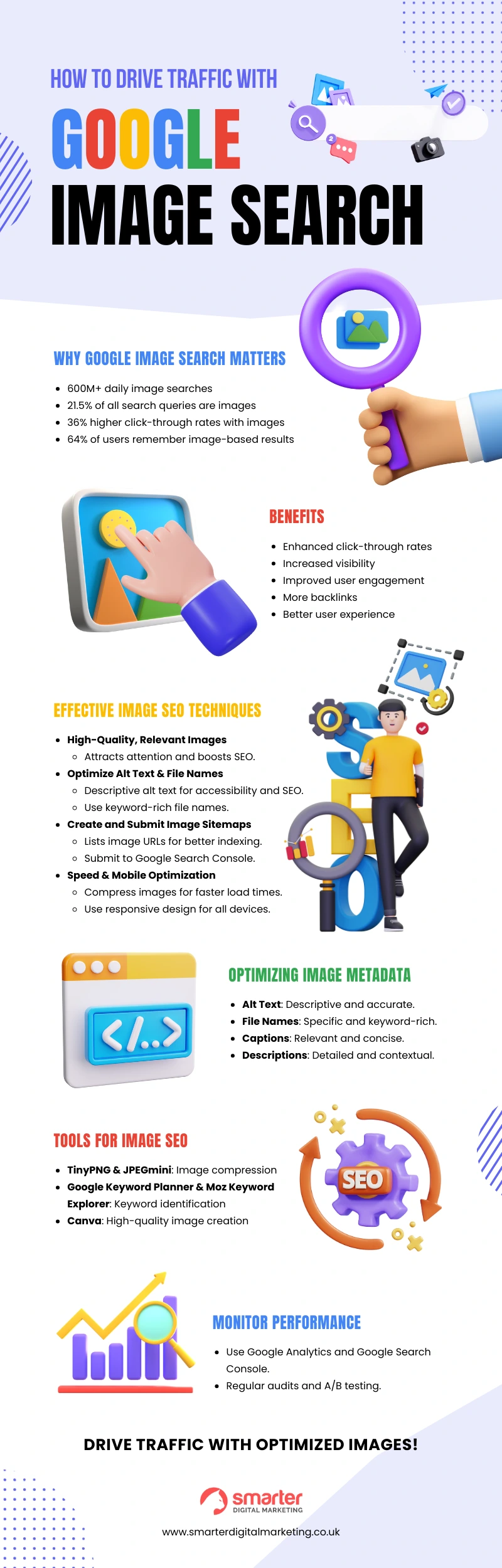
Effective Image SEO Techniques for Google Image Search
High-quality, relevant images are essential for creating a positive first impression and enhancing SEO performance. They attract user attention and encourage longer engagement times. Search engines prioritise images that are both high in quality and relevant to the content, making them more likely to appear in Google Image Search results. This not only helps in driving traffic but also improves overall user experience.
Optimising Alt Text and File Names
Alt text is crucial for both accessibility and SEO. It provides a description of the image for users who rely on screen readers and allows search engines to understand the content of the image. This boosts the image’s discoverability in search results.
Descriptive file names serve as an introduction to search engines. Instead of generic names like “IMG_1234.jpg”, use descriptive names such as “blue-widget-product.jpg”. This helps search engines index the image more accurately, increasing its chances of appearing in relevant searches.
Creating and Submitting an Image Sitemap
An image sitemap helps search engines index images more effectively. It provides a structured list of all the images on a website, making it easier for search engines to crawl and index them.
Creating an image sitemap involves listing the URLs of images along with additional metadata. Submit the sitemap to Google Search Console to ensure that search engines can easily find and index your images.
Speed and mobile optimisation play a significant role in image SEO. Fast-loading images improve user experience and reduce bounce rates. Compress images without compromising quality to ensure quick load times. Mobile optimisation is equally important, as a significant portion of users access the web via mobile devices. Use responsive design techniques to ensure images display correctly on all devices.
Best Practices for Optimising Image Metadata
Metadata plays a critical role in image SEO by providing essential information to search engines. Properly optimised metadata helps images rank higher in search results, thus driving more traffic to your website. Alt text, file names, captions, and descriptions are key elements in image metadata that can significantly influence search engine rankings. When these components are optimised effectively, they not only enhance discoverability but also improve user experience.
Alt text serves dual purposes: it provides accessibility for users relying on screen readers and boosts SEO by describing the image to search engines. Accurate and descriptive alt text helps search engines understand the image content, increasing its chances of appearing in relevant searches. Descriptive file names are another crucial element. Instead of generic names like “IMG_1234.jpg”, use specific names such as “red-running-shoes.jpg”. This practice helps search engines index the image more accurately and improves its searchability.
Captions and descriptions further enhance the context and relevance of images. Captions, which are often displayed alongside images, provide immediate context for users, making the content more engaging. Descriptions add another layer of detail, helping search engines understand the image’s context within the page. Both elements contribute to better user engagement and higher rankings in image search results.
| Metadata Element | Importance | Best Practises |
|---|---|---|
| Alt Text | Provides accessibility and SEO benefits | Use descriptive, accurate text that reflects the image content |
| File Names | Introduces images to search engines | Use specific, keyword-rich file names |
| Captions | Enhances image context and user engagement | Include relevant, concise captions for immediate context |
| Descriptions | Provides detailed context for search engines | Write comprehensive descriptions that relate to the image and page content |
Tools and Techniques to Monitor Image Search Performance
Monitoring image search performance is crucial for understanding how well your images are driving traffic and engaging users. By analysing performance data, you can make informed decisions to enhance your image SEO strategy. Using specialised tools and techniques, you can gain valuable insights into user interactions, search rankings, and overall effectiveness of your image optimisation efforts.
Tools for tracking image performance:
- Google Analytics
- Google Search Console
- Heatmapping tools
Optimising image performance involves a continuous process of testing and refining. Regular audits and A/B testing are essential techniques for identifying areas of improvement. By systematically evaluating the performance of different image versions and understanding user interactions, you can implement changes that enhance your overall image SEO.
Best practices for audits and A/B testing:
- Regularly check for broken links and missing images.
- Compare different image versions to see which performs better.
- Use heatmaps to understand user interactions.
- Implement findings to improve image SEO.
Recommended Tools for Image SEO
Utilising the right tools is crucial for effective image SEO. These tools can streamline the optimisation process, ensuring images are not only high-quality but also discoverable by search engines. Image compression tools like TinyPNG and JPEGmini reduce file sizes without sacrificing quality, which improves load times and user experience. Keyword identification tools such as Google Keyword Planner and Moz Keyword Explorer help in finding the most relevant keywords, enhancing the discoverability of images. High-quality image creation tools like Canva and Adobe Photoshop enable the production of visually appealing images that engage users and boost click-through rates.
5 recommended tools for image SEO:
- TinyPNG: Image compression
- JPEGmini: Image compression
- Google Keyword Planner: Keyword identification
- Moz Keyword Explorer: Keyword identification
- Canva: High-quality image creation
Integrating these tools into an SEO strategy involves a systematic approach. Start by compressing images with TinyPNG or JPEGmini to ensure quick load times. Use Google Keyword Planner and Moz Keyword Explorer to identify and incorporate relevant keywords into image metadata. Finally, create engaging and high-quality visuals with Canva or Adobe Photoshop. By following these steps, you can significantly enhance your image SEO, driving more traffic and improving overall user engagement.
Final Words
In the action of understanding how to drive traffic with Google Image Search, the post explored significant strategies. From leveraging the high volume of daily image searches to optimising images with relevant alt text and file names, businesses can see substantial increases in click-through rates. Incorporating image sitemaps and metadata optimisation further enhances discoverability and user engagement.
By integrating these practices, businesses can effectively use Google Image Search to drive traffic, increase visibility, and boost overall website performance, leading to higher ROI.
FAQ
Can you search Google Drive with an image?
Searching Google Drive with an image directly is not possible. Use keywords or file names instead. Google Photos allows reverse image search for pictures saved within the app, which is a possible alternative.
How to get traffic from Google Images?
To get traffic from Google Images, optimise your images with relevant keywords, alt text, and filenames. Ensure high-quality images, use structured data, and submit an image sitemap to help search engines index your images effectively.
How to search Google with an image?
To search Google with an image, click the camera icon in the search bar, upload the image, or paste the image URL. Alternatively, you can right-click any online image and select “Search Google for image.”
How to find pictures on Drive?
To find pictures on Google Drive, use the search bar at the top, type relevant keywords, or use the “Images” filter from the search options. This helps you locate specific pictures stored in your Drive.
