
Ever wondered how you can get content that truly matters to you without searching for it? Google Discover brings personalised content to the forefront of your digital experience. By analysing your search history and interests, this powerful feature delivers articles, videos, and more that are curated just for you. Accessible on both Android and iOS devices through the Google app, Google Discover ensures your feed is always relevant and engaging. Dive into the specifics of how this tool can transform your content consumption and keep you informed effortlessly.
Understanding Google Discover
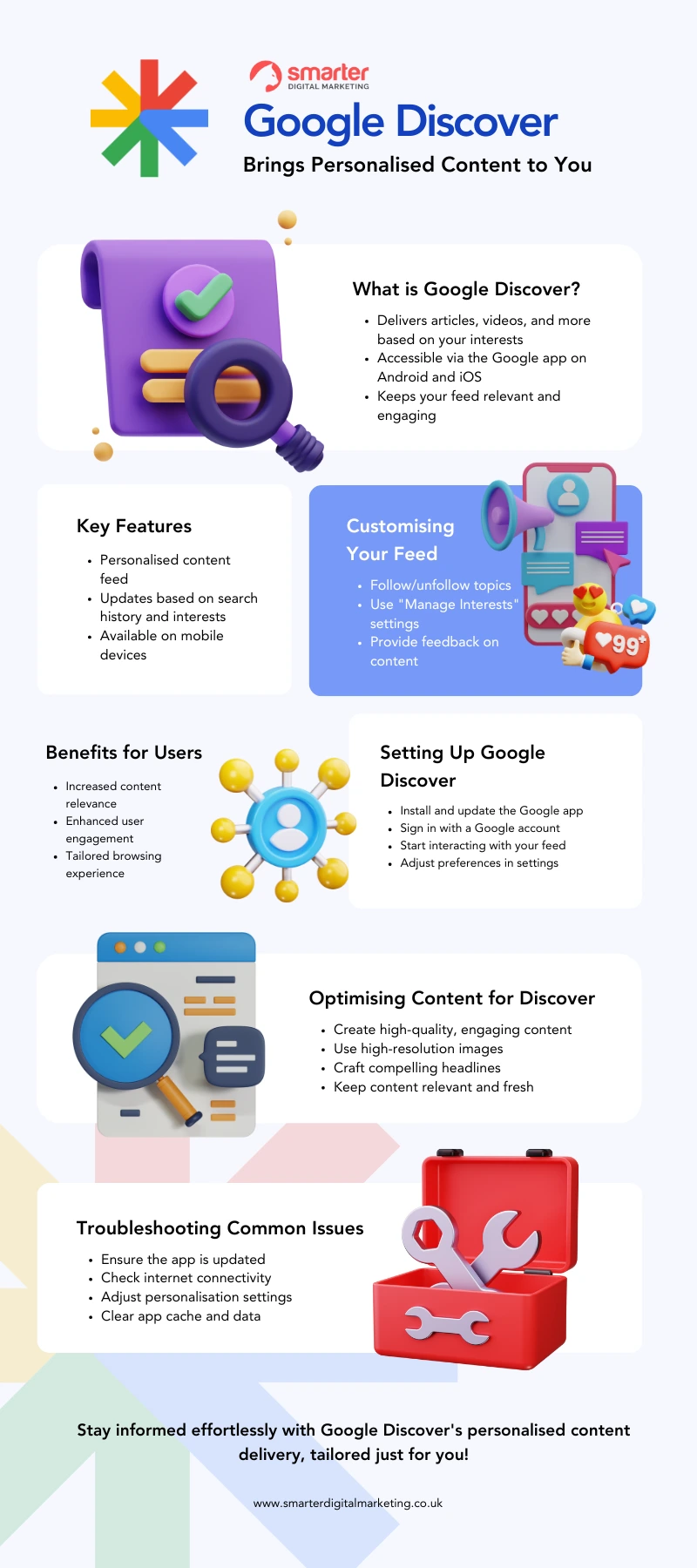
Google Discover is a personalised content feed that delivers articles, videos, and other types of content based on users’ interests and search history. It leverages Google’s advanced algorithms to curate a feed tailored to individual preferences, enhancing the user experience by providing relevant and engaging material. This dynamic feed evolves as user behaviour and interests change, ensuring that the content remains pertinent and timely.
Google Discover is accessible through the Google app on Android and iOS devices, as well as on the mobile version of Google.com. This widespread availability makes it convenient for users to stay updated with content that matters to them, regardless of the platform they are using. The seamless integration across different devices ensures a consistent user experience and easy access to personalised content.
- Following or unfollowing topics
- Using “Manage Interests” settings
- Providing feedback on content
- Adjusting preferences
- Clearing cache for improved performance
Customising the Google Discover feed offers significant benefits to users. By following or unfollowing topics, adjusting preferences, and providing feedback on the content shown, users can refine their feed to better match their interests. This constant optimisation leads to a more engaging and enjoyable browsing experience, as the feed becomes increasingly aligned with what the user finds valuable and interesting.
How to Set Up Google Discover
To set up Google Discover, users must first ensure that the Google app is installed and updated on their mobile devices. The app is available for both Android and iOS platforms. Next, users need to sign in with their Google account, which allows the app to personalise the content feed based on search history and preferences. This initial setup is crucial for accessing a tailored content experience that aligns with individual interests.
- Install and update the Google app
- Sign in with a Google account
- Start interacting with the feed
- Follow or unfollow topics
- Use “Manage Interests” settings
Interacting with the feed is essential for customising Google Discover. By liking or disliking articles, following specific topics, and managing interests through the app settings, users can refine their feed to better match their preferences. This active engagement helps the algorithm learn what content is most relevant, ensuring a more personalised and engaging browsing experience.
Optimising Content for Google Discover
Optimising content for Google Discover is essential for content creators aiming to maximise their reach and engagement. Google Discover curates personalised content, making it critical to produce high-quality, relevant, and engaging material that stands out. Key factors for content visibility include relevance, freshness, and user engagement metrics like click-through rates and time spent on the page. High-quality content with compelling visuals and headlines not only captures attention but also encourages user interaction, enhancing the likelihood of appearing in Google Discover feeds.
Content Quality
High-quality, engaging content is paramount for Google Discover. Content must be informative, well-written, and tailored to the audience’s interests. Compelling visuals and headlines play a significant role in drawing users’ attention.
- High-Resolution Images: Utilising high-resolution images is crucial as they enhance the visual appeal of the content. Images should be relevant, clear, and optimised for various devices.
- Engaging Headlines: Crafting compelling headlines that accurately represent the content can significantly increase click-through rates. Headlines should be concise, informative, and engaging to entice users to read more.
- Relevance and Freshness: Keeping content up-to-date and relevant ensures it remains appealing to users. Fresh content is more likely to be featured in Google Discover, as the platform prioritises recent and trending topics.
Technical SEO ConsiderationsTechnical SEO plays a vital role in optimising content for Google Discover. Several strategies can enhance content visibility and performance:
- Optimising for Mobile: Given that Google Discover is predominantly accessed via mobile devices, ensuring content is mobile-friendly is essential. Responsive design and mobile optimisation can improve user experience and engagement.
- Fast Page Load Times: Page speed is a critical factor in user experience. Optimising images, leveraging browser caching, and minimising redirects can help achieve faster load times, reducing bounce rates.
- Structured Data: Implementing structured data can help search engines better understand the content, enhancing its visibility in Google Discover. Structured data provides additional context, making it easier for Google to index and display content accurately.
Optimising content for Google Discover offers numerous benefits, including increased visibility and user engagement. By focusing on high-quality content and technical SEO considerations, creators can significantly enhance their chances of appearing in users’ personalised feeds. This targeted approach not only improves content reach but also fosters a more engaged and satisfied audience.
Troubleshooting Common Issues with Google Discover
Common issues with Google Discover include content not appearing or being irrelevant. Users often find that their Discover feed does not update with new content or that the content shown does not match their interests. These problems can stem from outdated apps, poor internet connectivity, or incorrect personalisation settings. Addressing these issues promptly can enhance the user experience and ensure that the content delivered is both relevant and engaging.
- Ensure the Google app is updated
- Check internet connectivity
- Adjust personalisation settings
- Clear app cache and data
- Reinstall the Google app
Regularly updating app settings and preferences is crucial for maintaining an optimal Google Discover experience. By keeping the Google app updated, users can benefit from the latest features and improvements. Additionally, adjusting personalisation settings ensures that the feed remains aligned with the user’s evolving interests. Clearing the app cache and data periodically can also resolve minor glitches and improve performance. If issues persist, reinstalling the Google app can often provide a fresh start, resolving persistent problems and enhancing overall functionality.
Benefits of Using Google Discover
Google Discover offers significant advantages to users by providing a customised content experience. By leveraging advanced algorithms, it curates articles, videos, and other media based on individual interests and search history. This personalised approach ensures that users receive relevant and engaging material, enhancing their overall browsing experience. Additionally, Google Discover adapts to changing user preferences, continually updating the feed to reflect the most current and pertinent content.
- Increased content visibility
- Enhanced user engagement
- Personalised content delivery
- Improved content relevance
For content creators, Google Discover presents a valuable opportunity to reach a broader audience. The platform’s ability to deliver personalised content translates to increased visibility and engagement. By appearing in users’ feeds, creators can attract more attention, leading to higher click-through rates and prolonged time spent on their pages. This targeted delivery not only boosts content relevance but also fosters a more engaged and loyal audience, ultimately improving the effectiveness of content marketing strategies.
Final Words
Exploring Google Discover reveals its pivotal role in delivering personalised content through the Google app. Users can customise their feed with ease, enhancing their experience by following or unfollowing topics, using “Manage Interests” settings, and more.
The guide on setting up Google Discover highlights straightforward steps to optimise your feed. Recommendations for content creators focus on high-quality visuals and technical SEO.
Troubleshooting covers common issues and practical solutions, ensuring users benefit from the full capabilities of Google Discover.
Embracing Google Discover can significantly boost content visibility and user engagement.
FAQ
What is Google Discover?
Google Discover is a personalised content feed delivering articles, videos, and other content based on users’ interests and search history.
How do I customise my Google Discover feed?
To customise your Google Discover feed, users can follow or unfollow topics, use “Manage Interests” settings, provide feedback on content, adjust preferences, and clear cache for improved performance.
Where can I access Google Discover?
Google Discover is available through the Google app on Android and iOS devices, as well as on the mobile version of Google.com.
How do I set up Google Discover?
To set up Google Discover, users need to ensure the Google app is installed and updated on their device. Sign in with a Google account and start interacting with the feed.
What are the steps to set up Google Discover?
- Install and update the Google app.
- Sign in with a Google account.
- Start interacting with the feed.
- Follow or unfollow topics.
- Use “Manage Interests” settings.
How does interacting with the feed improve customisation?
Interacting with the feed helps Google understand your preferences better, allowing for a more personalised content delivery tailored to your interests.
How can content creators optimise for Google Discover?
Content creators should focus on producing high-quality, engaging content with compelling visuals and headlines to optimise for Google Discover.
What are the important factors for content visibility in Google Discover?
Factors for content visibility include relevance, freshness, and user engagement metrics like click-through rates and time spent on the page.
What are the technical SEO considerations for Google Discover?
Technical SEO considerations include using high-resolution images, optimising for mobile, and ensuring fast page load times.
What are common issues with Google Discover?
Common issues with Google Discover include content not appearing or being irrelevant.
What are the troubleshooting steps for Google Discover issues?
- Ensure the Google app is updated.
- Check internet connectivity.
- Adjust personalisation settings.
- Clear app cache and data.
- Reinstall the Google app.
How do regular updates to app settings help with Google Discover?
Regular updates to app settings and preferences help maintain content relevance and improve the overall user experience by ensuring the feed is up-to-date.
What are the benefits of Google Discover for users?
Benefits for users include personalised content delivery and enhanced user engagement through a customised experience tailored to their preferences.
What are the benefits of Google Discover for content creators?
- Increased content visibility.
- Enhanced user engagement.
- Personalised content delivery.
- Improved content relevance.
How does Google Discover enhance user engagement?
Google Discover enhances user engagement by providing relevant and engaging content tailored to user preferences, improving the overall user experience.
